Copilot in the game
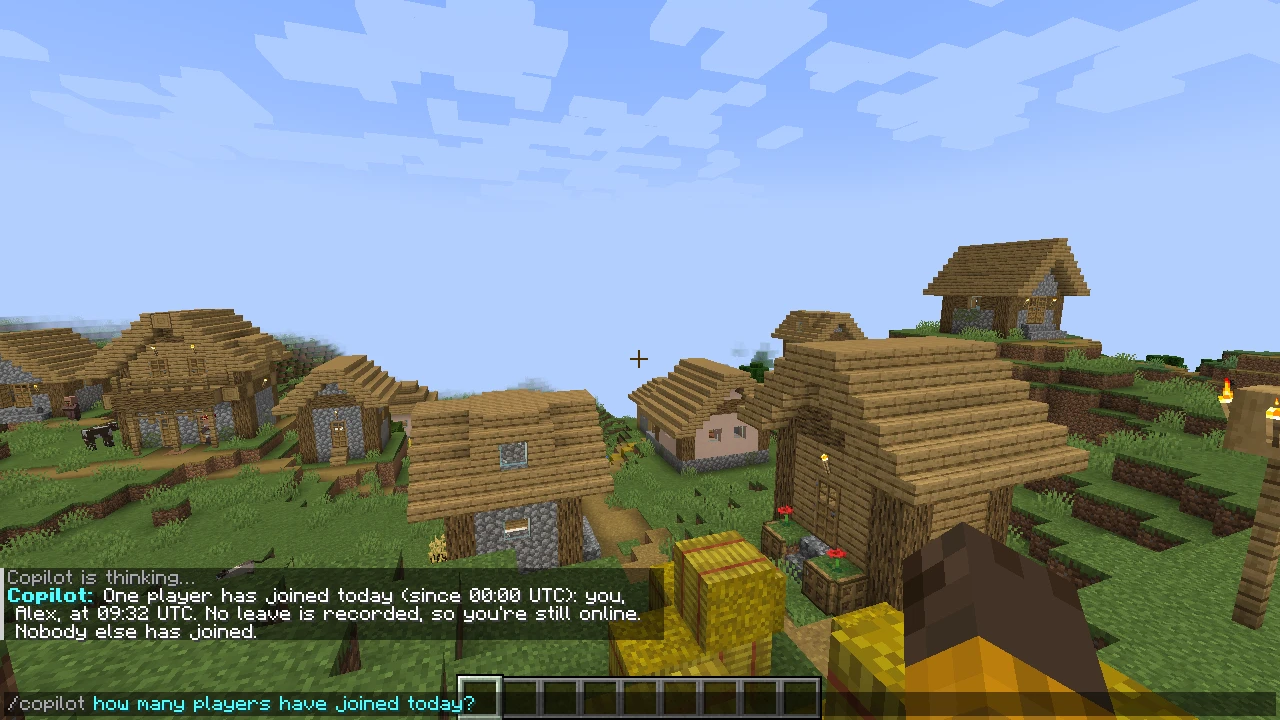
Type /copilot and a question in Minecraft’s chat, and Copilot answers right there. It is the same Copilot as on the server’s Copilot page in the panel, with the same rights and limits, and the conversation shows up in the panel too. It knows who is asking and where you stand, so “find me a village”, “teleport me to where I died” or “build a wall here” need no names or coordinates.
Which servers have it
- Minecraft Java on Paper, Purpur and Spigot: available now.
- Fabric, Forge and NeoForge: available now, on Minecraft 1.16.5, 1.18.2, and 1.19.2 or newer (NeoForge: 1.20.2 or newer). A server that has been running since before 23 November 2026 gets it at its next restart. On Fabric, the
/copilotcommand needs Fabric API on the server, which nearly every modded server already has. - Vanilla: not available. Nothing of ours runs inside a Vanilla server, so there is no
/copilotcommand to type there.
Copilot on the server’s page in the panel works on every server, whatever the software.
Switch it on
- Open the server in the panel, go to Copilot and open the Settings tab.
- Under Copilot in the game, switch on Answer in the game.
It can take up to a minute to reach the game. Copilot in the game is off until you switch it on.
With it on, Summary when you join is on too: see A summary when you join.
Only the server owner and team members who may change settings can see and change these settings. Everyone on the team can link their own account on the same page.
Link your Minecraft account
Copilot answers only players it knows. You link your Minecraft account to your panel account once:
-
Join the server and type
/copilot link. The game shows a six-character link code.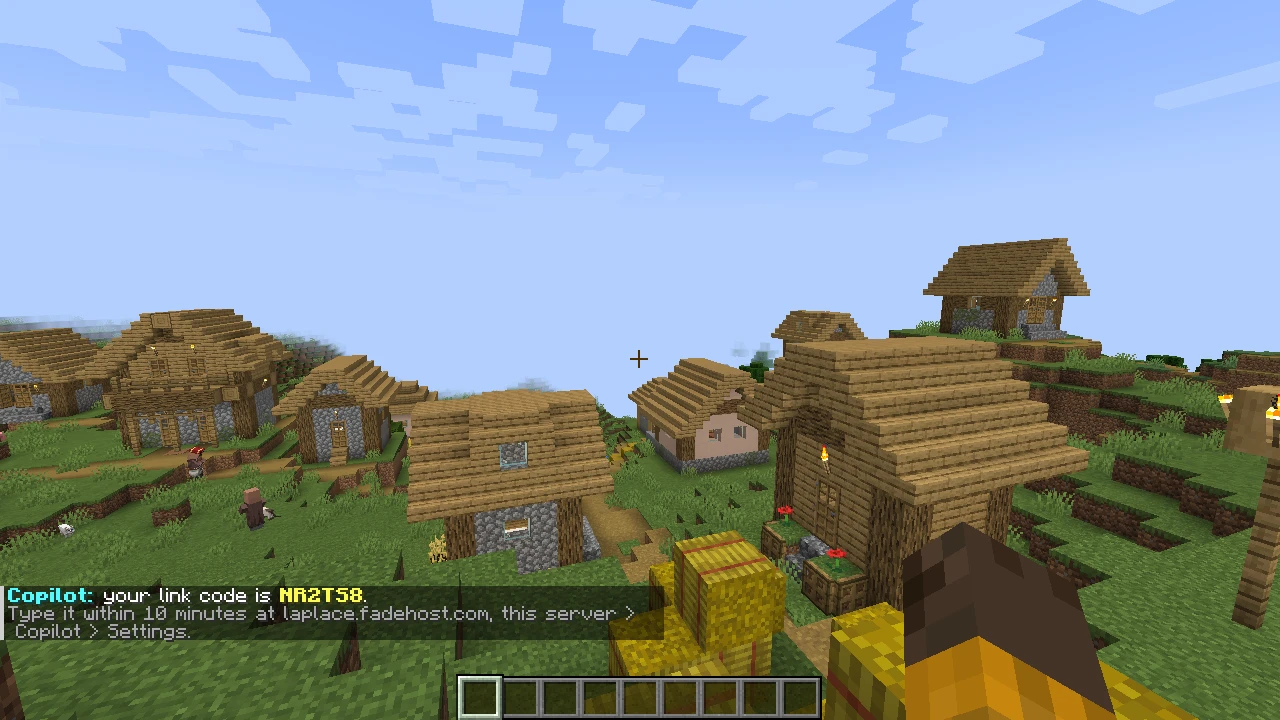
-
Within 10 minutes, open the server’s Copilot page in the panel and the Settings tab. Under Your Minecraft account, type the code in Code and press Link.
-
The game confirms it:
Copilot: Your Minecraft account is now linked to your panel account. Ask with /copilot followed by your question.If the code runs out, /copilot link gives you a new one. Your linked accounts are listed under Your Minecraft account; Remove unlinks one.
Only an account the server can verify
Linking works only for an account the server can verify: on a server in online mode, or on one with Login protection on. Otherwise anyone could join under your name and ask Copilot to change your server as you. On a server that lets anyone join under any name, /copilot link answers:
Copilot: This server lets players join under any name, so Copilot cannot tell who you are. Switching on Login protection in the panel makes linking possible.A paid Minecraft account, once linked, is yours on every server where Copilot in the game is on and the game can verify you. A name that logs in with a password through Login protection is linked for that one server, and the list shows it as this server only.
The commands
| Command | What it does |
|---|---|
/copilot <question> | Ask Copilot about this server. |
/copilot link | Get a code to connect your panel account. |
/copilot apply <number> | Apply a change Copilot proposed. |
/copilot dismiss <number> | Dismiss a change Copilot proposed. |
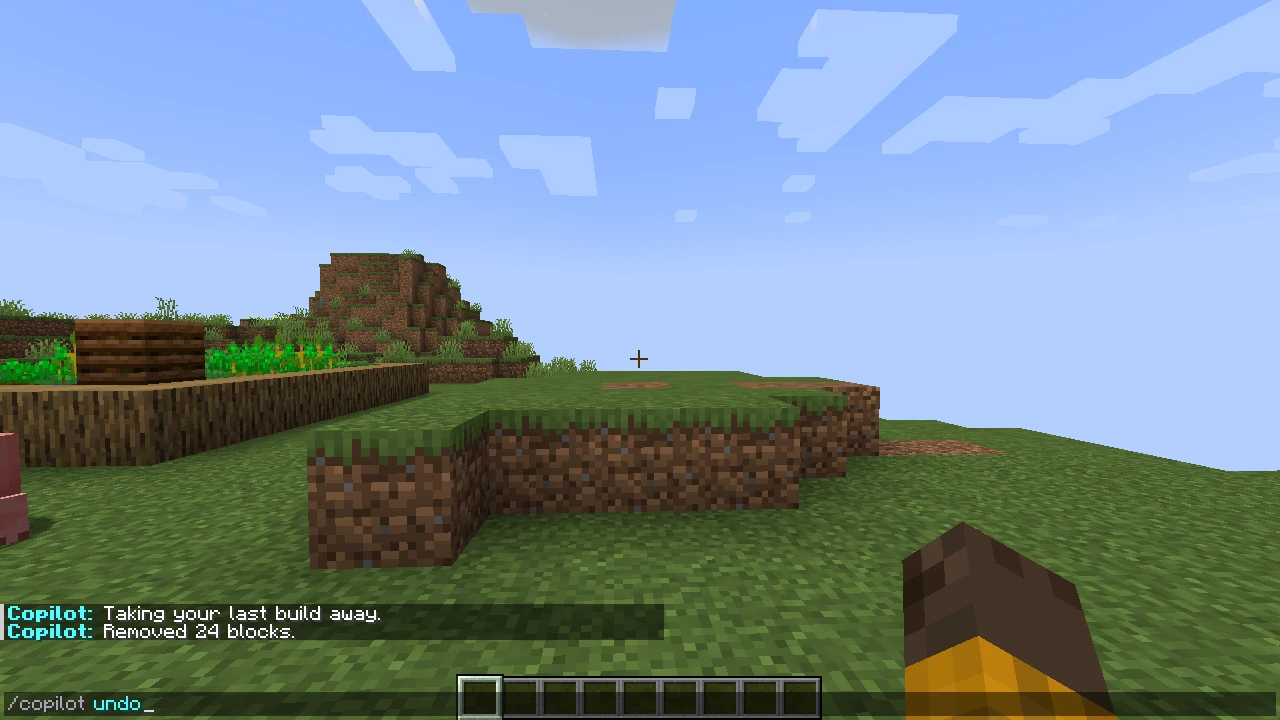
/copilot undo | Take your last build away again. |
/copilot help | List these commands. |
You rarely type apply or dismiss yourself: clicking [Apply] or [Dismiss] under an answer does it for you. A card’s number holds for an hour; after that the card is still in the panel.
What an answer looks like
You see “Copilot is thinking…” first, then the answer in a few short lines, the first one starting with “Copilot:”. When the answer is longer than fits in chat, the last line says “The full answer is in the panel:” with a link to the server’s Copilot page. The whole conversation is always in the panel, on the Chat tab of the server’s Copilot page.
When Copilot proposes a change, the change comes as a card: one line with [Apply] and [Dismiss] to click, then what the card does. A card that restarts the server adds “(the server restarts, so you will be disconnected)”. After you click, Copilot tells you in chat how it went.
Who may ask
- You and your team. The server owner and team members who linked their own Minecraft account. Each person asks with their own rights and their own daily limit, the same as in the panel: a team member can do in the game only what their team access lets them do in the panel.
- Only the person who asked can apply their cards.
- Everyone else gets one line and nothing more:
Copilot: Copilot answers this server's owner and team here. Run /copilot link to connect your panel account.The settings page has a second choice under Who may ask, Also operators, read-only, marked Coming later.
In the game Copilot does not show backups, the schedule, the Activity log or plan details. Those stay in the panel.
A summary when you join
When you join your server, Copilot tells you privately what happened since you were last on: crashes, software or modpack changes, plugins and mods added or removed, starts and stops, and cards waiting for you. A card that can be applied in the game comes with [Apply] and [Dismiss]; the others are counted and wait in the panel. It looks like this:
Copilot: since you were last here (3 days ago):
Auto Update moved the software to Paper 1.21.4.
Applied through Copilot: 1 change, listed in the panel.
2 cards wait for you in the panel.
Players: 3 joins by 2 players. New: Alex, New7, New6, New5, New4 and 3 more. On now: Alex.
[More] Ask Copilot for the details.- When: at most once in six hours, only when you were away for at least half an hour, and never when nothing happened. It looks back two weeks at most.
- Who gets it: you and team members who linked their account, the same people who may ask.
- On or off: it is on by default once Answer in the game is on, and has its own switch, Summary when you join, on the settings page.
- What it leaves out: backups and who on your team made a change stay in the panel, since the summary keeps to what the game server knows about itself. When someone else made a change, it says “Some of these were made by someone else on your team. The Activity log in the panel says who.”
- [More] asks Copilot for the details, and counts as one question.
Private or public replies
Under Replies on the settings page:
- Private (the default): only the player who asked sees the answer.
- Public: everyone in the game sees the question, as “Steve asked Copilot: …”, and the answer. An answer that quotes a file or a log still goes only to the player who asked, and everyone else sees “Copilot answered Steve privately.”
Cards, with their Apply and Dismiss, always go only to the player who asked.
Cards in the game
With Apply cards in the game on (the default), a card can be applied by clicking it in chat. When it is off, cards still show in the game, each as “To apply in the panel:” and what it does, and you apply them on the server’s Copilot page.
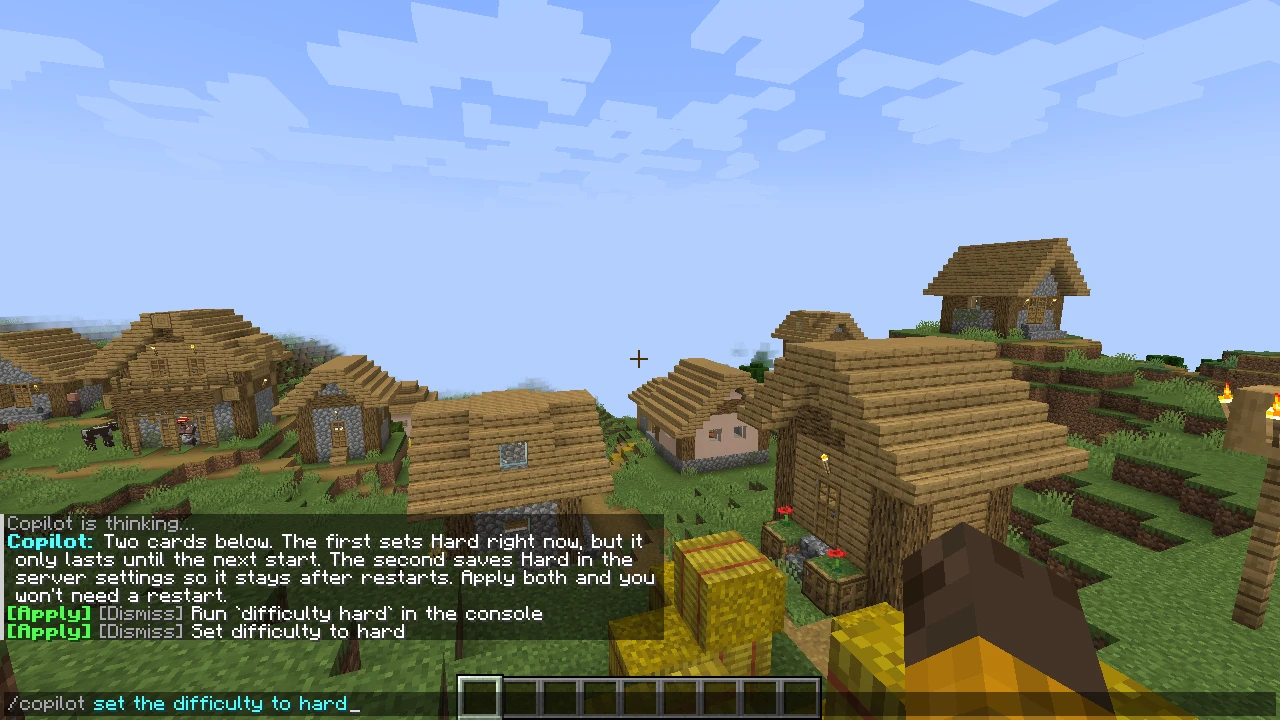
Some cards are always applied in the panel. The game server is the only witness of who is typing in the game, so anything that reaches beyond the game itself waits for you in the panel, where you are signed in.
| Applied from the game | Applied in the panel |
|---|---|
Console commands from Copilot’s list, such as op, whitelist, kick, gamerule, give or gamemode | Changing the software or the Minecraft version |
| Teleports, including one that waits for a player’s next join | Installing or changing a modpack, mods and plugins |
| The server’s own settings, such as difficulty, view distance, MOTD and player slots | Changing, renaming or copying files |
| Stronger or weaker mobs, and the monster spawn limit | Adding a port |
| Builds | Backups and moves to another region |
| A restart | Login protection, hibernation, the Java version and scheduled tasks |
In the game, a card from the right-hand column shows [Dismiss] only and ends with “apply this one in the panel.”
The card for stronger or weaker mobs can be applied from the game or the panel, but only while the server is stopped, because it writes into the world. Nobody can be in the game then, so in practice you stop the server and apply it in the panel. The monster spawn limit applies from either place and takes effect at the next restart.
Building
Copilot can build near you when you ask, such as a wall, a floor, a platform or a bridge. Building is off until the owner switches it on under Building on the settings page.
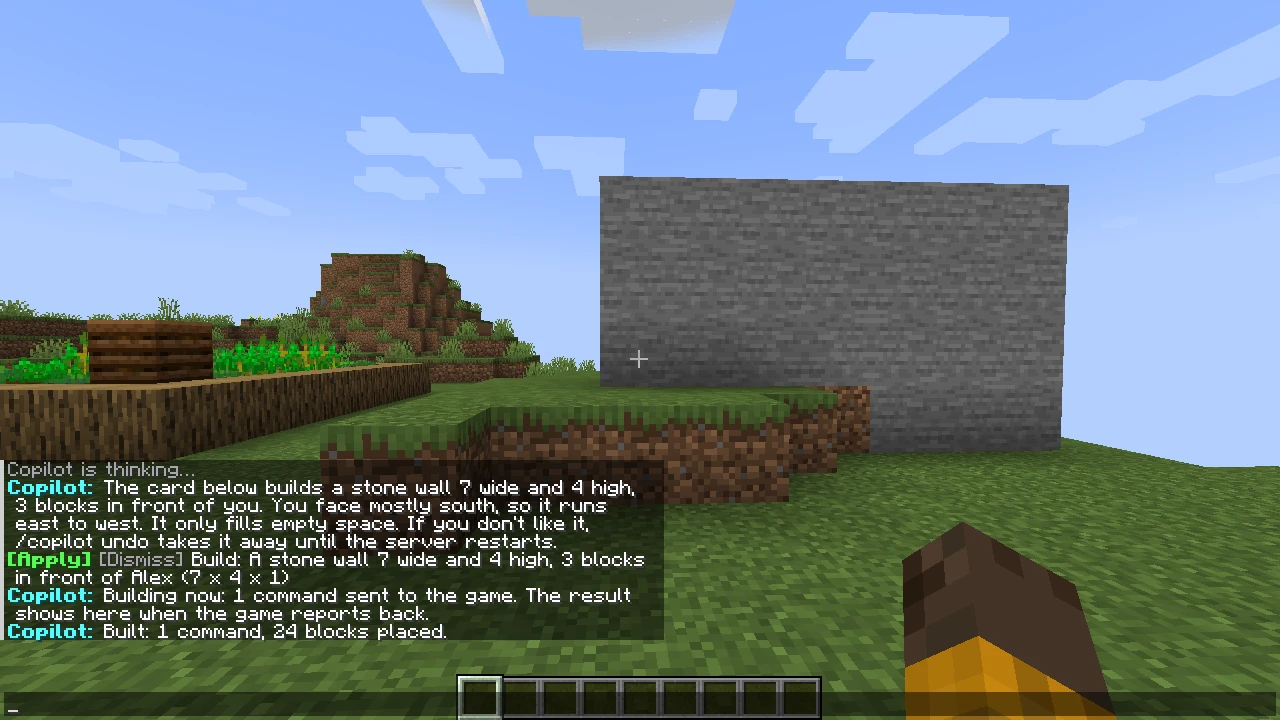
To build, stand where it should go and ask:
/copilot build a small stone bridge across this river in front of meThe card says what will be built, how big it is and where. It is built from where you stood when you asked, and you have to be in the game when you press Apply. Building needs the same team access as console commands.
Blueprints
Ask for a castle, a wizard tower, a cottage, a lighthouse, a pyramid, a bridge or a fountain, and Copilot builds it from a blueprint: a designed structure with towers, roofs, windows, lights and gardens, drawn the same way every time instead of block by block.
/copilot build a castle here, presses Apply on the card, and the castle goes up./copilot build me a castle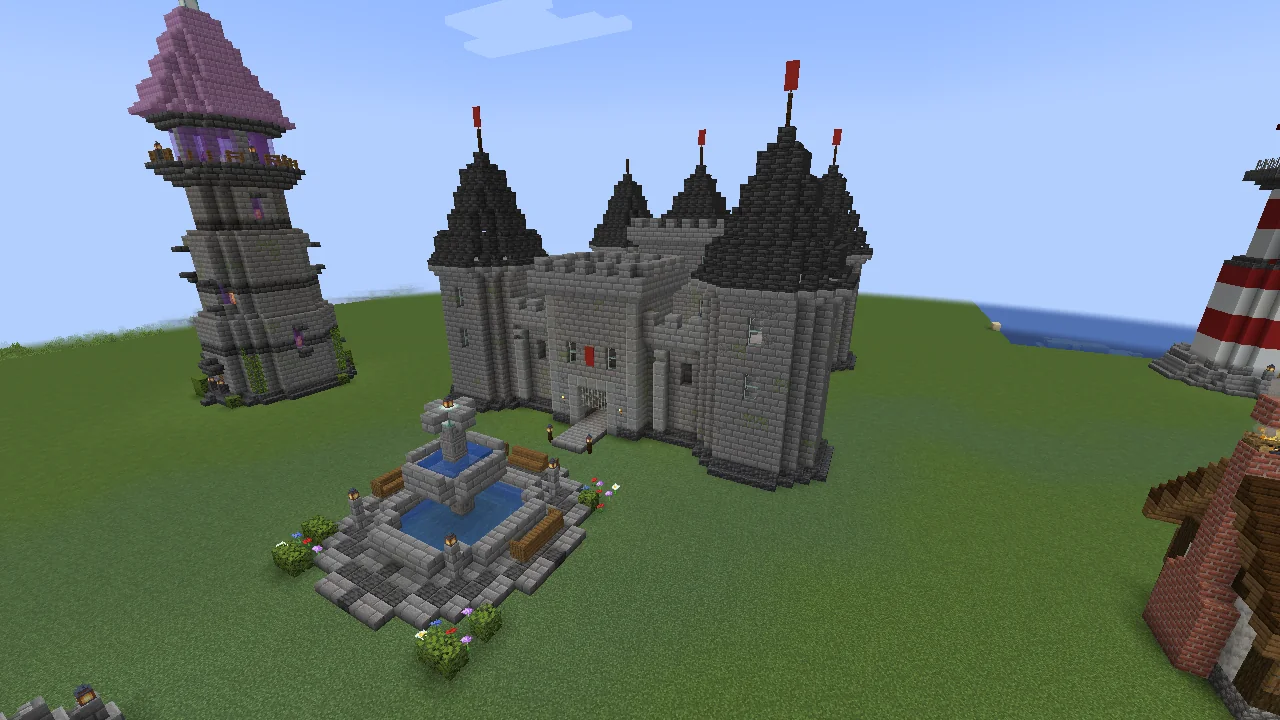
It stands in front of you, centred on where you stand, its near side 3 blocks away and its entrance facing you. A bridge starts 1 block in front of you and runs away from you. To have the entrance face another way, say so, such as “with the gate facing east”.
You can vary each one:
- Size: small, medium or large. Medium is the default.
- Palette: the materials, from the list below. The first one is the default.
- Facing: the side the entrance faces, north, east, south or west.
- Length, for a bridge only: 7 to 45 blocks.
| Blueprint | What it has | Palettes |
|---|---|---|
| Castle | Walls, round towers, a gatehouse and a keep | stone, dark, sandstone |
| Wizard tower | A round tower that narrows as it rises, a balcony and a pointed roof | stone, dark |
| Cottage | A timber frame, a chimney and a flower garden | oak, spruce, cherry |
| Lighthouse | A striped round tower with a gallery and a lamp room | red, blue, stone |
| Pyramid | Steps, an entrance with torches, and a stair up the front to a small shrine on top | sandstone, red sandstone |
| Bridge | An arch with railings and lanterns | stone, sandstone, dark |
| Fountain | A plaza fountain with benches, lanterns and flower beds | stone, quartz, sandstone |
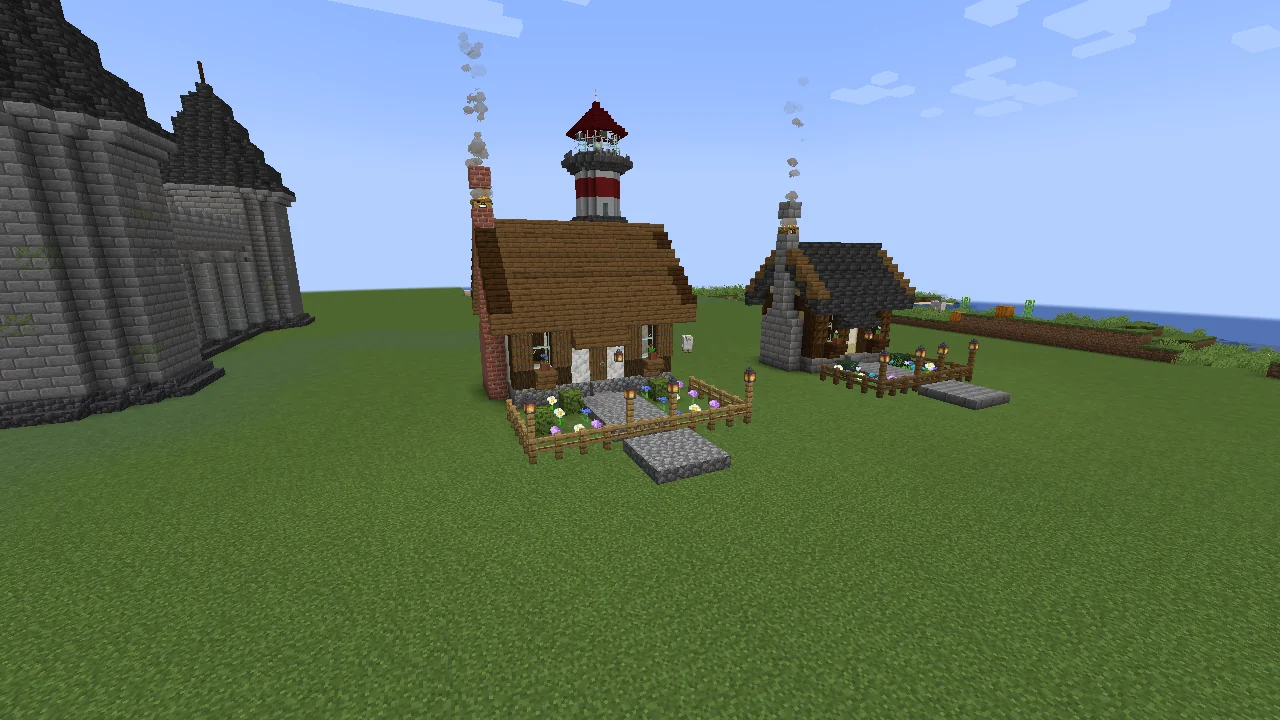
The card names the blueprint and what was picked, such as “Blueprint: castle, medium, stone palette, entrance facing north.” Copilot may add a few lines of its own in the same build, such as a path to the door, and the card counts them. One build takes one blueprint: for a second structure, ask again.
Blocks are picked for your server’s Minecraft version, so a newer server gets newer blocks such as deepslate and cherry wood. Blueprints need Minecraft 1.16 or newer.
A blueprint fills empty space only, also when Builds may replace existing blocks is on, so /copilot undo takes it away like any other build. The fountain gets real water only when Builds may replace existing blocks is on. Otherwise its basins are light blue glass that looks like still water.
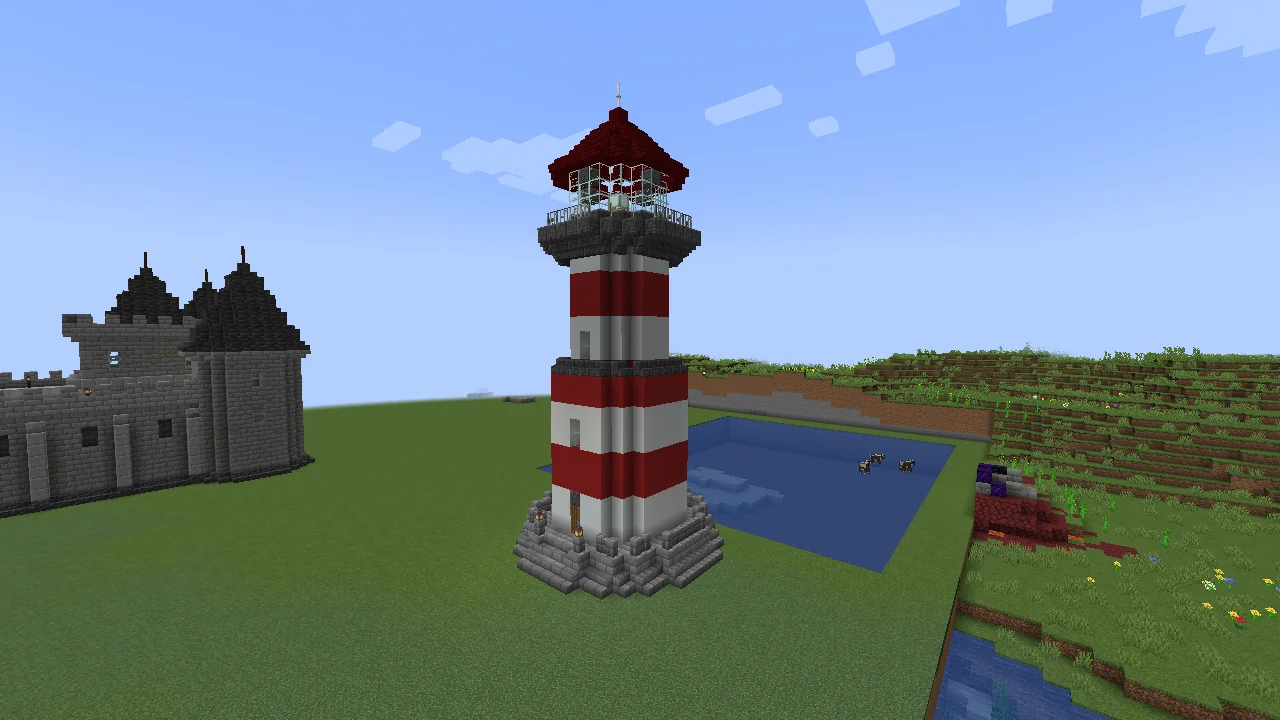
Copilot knows where your last build on the server stands, so you can ask for more afterwards without giving coordinates, such as “add a balcony to the tower”.
The limits
- Size: at most the Largest build on each side: 16, 32, 48 or 64 blocks per side. The default is 48. Every blueprint fits 48 at every size; with a smaller Largest build, a bigger blueprint may not fit, so ask for a smaller size.
- Blocks: at most 20,000 blocks in one build, or 30,000 when it is a blueprint.
- Near you: within 64 blocks of where you stood, east, west, north and south.
- Empty space only: a build fills only empty space, so it never breaks anything, unless Builds may replace existing blocks is on. With that on, a build can also clear an area or swap a floor.
- One build at a time on each server.
- Blocks it will not place: command blocks, structure and jigsaw blocks, spawners, TNT, fire, lava, wither skulls and wither roses, bedrock, barriers, light blocks, reinforced deepslate, end portal frames, portals and end gateways. Water only when builds may replace existing blocks, because it flows beyond the build where an undo cannot reach. Blocks are placed plain, without chest contents or sign text.
Undo
/copilot undo takes your last build away again: it empties exactly the blocks that build placed. Copilot remembers the last five builds on the server until it restarts. After a restart there is no undo, and a build that replaced existing blocks never has one; its card says “(it replaces blocks and cannot be undone)”. The owner can also undo a build from What Copilot did in the game.
What to expect
The seven blueprints come out detailed every time. Anything else Copilot writes block by block: simple shapes work well, such as walls, floors, platforms, simple houses, and clearing an area when replacing is allowed. Detailed, decorated builds that are not a blueprint come out plain.
Asking the running game
With Ask the running game on (the default), Copilot may ask your running server where players are, for nearby biomes and structures, and for the world’s seed. This works for questions in the panel too:
- “Who is online?” lists the players with their UUIDs.
- “Where is Steve?” gives the position, and from Minecraft 1.19 the place of the last death.
- “Find me a village” or “where is the nearest cherry grove?” searches from where you stand when you ask in the game, in the dimension you are in. If you have left the game since, it searches from where you stood when you asked.
- “What is around me?” lists the creatures, named or tamed animals, other players, and chests, spawners, beds and portals within 32 blocks.
- “What block is at 100 64 -20?” names the block there, with its states.
- “Teleport me to where I died” finds your last death and proposes the teleport as a card.
The full list is on the Copilot page.
A map of where you are
Ask “show me a map of where I am” and Copilot makes a top-down picture of the world around you, with the players online marked on it. A picture cannot be shown in Minecraft’s chat, so Copilot tells you the map is in the panel: open the server’s Copilot page and it is under the answer, on the Chat tab. More about the map, such as a map around another player or a place, is on the Copilot page.
A picture from inside the game
Copilot can also take a real screenshot in your world. FadeHost’s camera, a Minecraft account of our own, joins the server for a moment, takes one picture and leaves. The picture arrives in the panel’s Copilot chat as a message of its own, “Here is the picture.”, usually about a minute after you ask, or a few minutes when other pictures are ahead of it. Click it to open it larger.
Ask for one of three views:
- Your own view: “take a picture of what I see”, asked in the game. Stand still for a minute.
- A player: “take a picture of Steve”, from a few blocks behind and above them. They have to be in the game.
- A place: “take a picture at x 120, y 80, z -40”, and if you like which way to look. Asked in the panel, say whose picture or where.
Asked in the game, Copilot says the picture is on its way, and when it is ready it says in chat “The picture is ready in the panel:” with a link. A picture cannot be shown in Minecraft’s chat. Pictures are asked for in a server’s own Copilot chat or with /copilot, not in the account Copilot.
Which servers
- Minecraft Java on Vanilla, Paper, Purpur and Spigot, Minecraft 1.16 or newer, full releases only. Not yet on Fabric, Forge or NeoForge, or with a custom server jar.
- The server has to be online, with a free player slot for the camera.
- With a whitelist on, the camera can only join once its account is on the whitelist. FadeHost never adds it by itself: Copilot tells you the account’s name and the
whitelist addcommand to run in the console, andwhitelist removetakes it off again. - With Login protection on, Paid accounts skip the password has to be on, or the camera cannot get in.
- It works while Ask the running game is on, on the Copilot Settings tab.
What players see
The camera joins as a player, so everyone in the game sees it join and leave again shortly after. While it is there it is in spectator mode. It is not counted among your server’s players.
Limits
- One picture at a time on each server.
- At most 5 pictures per server a day. The count starts again at 00:00 UTC.
- When the camera cannot take the picture, such as when the server is full or a player left before it arrived, Copilot says why in the chat.
What Copilot did in the game
The settings page ends with What Copilot did in the game: the last 30 days, newest first. Each row is something Copilot did in the game, such as an answer it showed or a build it made, with the player it was for and how it went. A build that can still be undone has Undo next to it.
The owner and team members who may change settings can see this list.
What is recorded
- Your questions and Copilot’s answers are in your own Copilot chat in the panel, the same conversation as the questions you ask there.
- Cards applied in the game, builds and undos go in the server’s Activity log, with who did it and from which Minecraft account, like changes made in the panel.
- What Copilot did in the game keeps the last 30 days, as above.
- Chat between players is not recorded by Copilot.
Troubleshooting
It says it is switched off
Copilot in the game is switched off for this server. Its owner can switch it on in the panel.Answer in the game is off for this server, or it was switched on less than a minute ago. Switch it on under Copilot, Settings, wait a minute and ask again.
It says to link first
Copilot: Copilot answers this server's owner and team here. Run /copilot link to connect your panel account.Your Minecraft account is not linked to your panel account, or the link was removed. Type /copilot link and enter the code on the settings page, as in Link your Minecraft account. A name linked through Login protection on another server needs its own link here.
It says join the server first
Copilot: Join the server first.Copilot does not see you in the game on this server yet. That can happen for a few seconds right after you join. Wait a moment and ask again, and if it keeps saying it, leave and join again.
Apply is not shown for a card
- The card is one that is applied in the panel. Its line ends with “apply this one in the panel.” Open the server’s Copilot page and apply it there. See Cards in the game.
- Apply cards in the game is off. Every card then shows as “To apply in the panel:”. Apply it in the panel, or switch Apply cards in the game on.
- Someone else asked. Cards go only to the player who asked, also with public replies.
If none of these fit, open a ticket from the panel and one of us will take a look.