V Rising
V Rising Server Hosting
Host a V Rising dedicated server for gothic vampire survival with friends. Private by default or listed in the server browser, custom world saves, full settings control, automatic backups and instant setup.
7 days free, no card. One subscription runs any game we host.
- 4 GB minimum
- PC only
- Ports assigned for you
- Mods and add-ons supported
- Game
- V Rising
- Address
- play.example.com
- Players
- 6 / 10
- RAM
- 4 GB
Console
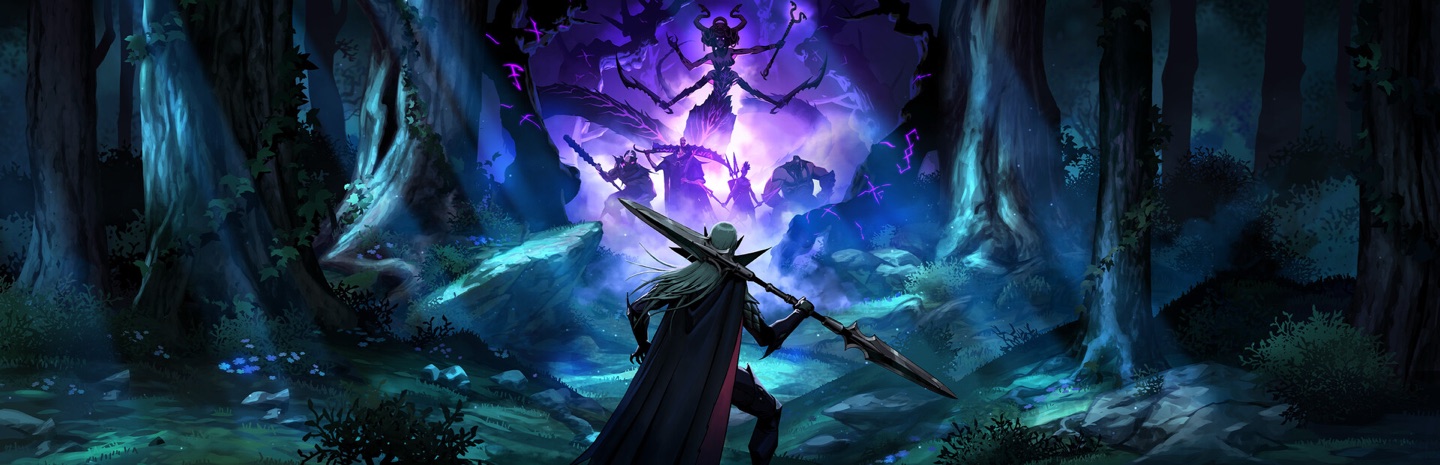
© Stunlock Studios
What you get on a V Rising server
Vampire survival: build your castle, hunt blood, defy the sun. Everything below is in the panel from the moment the server finishes installing.
- DDoS protection and NVMe storage on every server
- Daily backups with one-click restore and a file manager
- Console, scheduled tasks, team access and SFTP
- Split your RAM across as many servers as you want
V Rising server requirements
What the server needs before you pick a size. 4 GB of RAM is the minimum, and the table below sizes it by player count.
- RAM
- 4 GB minimum. Every extra gigabyte is $1 a month and can be added or removed later without a reinstall.
- CPU
- Moderate; castles and many players push one core.
- Disk
- Saves are small; the server is a few GB.
- Ports
- Two UDP ports, assigned for you.
- Mods and plugins
- BepInEx server mods uploaded through the file manager; most are server-side only.
- Your existing world
- Upload a save folder to the world directory and set it in the settings.
RAM by player count
Sizing by player count. Start small and add RAM later in a couple of clicks, with no reinstall. For a Minecraft server with plugins, mods or Bedrock players, the RAM calculator sizes it from what servers hosted here use.
| Players | Recommended RAM | Notes |
|---|---|---|
| 2 to 10 (clan PvE) | 4 GB | Private world, decay off |
| 10 to 30 (PvP) | 6 GB | Listed public server |
| 40+ (community) | 8 GB | Large PvP with events |
How to make a V Rising server
Rule the night on your own schedule: a dedicated V Rising server keeps castles standing and blood pools filled while everyone's offline.
- 1
Create your server
Start the free 7-day trial (no credit card) or pick a plan. 4 GB fits a clan server comfortably. Then hit Create Server in the panel, choose V Rising and your region, and the server installs itself. Your server's address and port appear on the server page as soon as it's up.
- 2
Configure your realm
Set the server name, password, clan size, and game mode (PvE/PvP) from the Settings tab. Steam-list visibility is a toggle: listed servers show up in the in-game browser.
- 3
Join the server
In V Rising choose Play → Online Play, search your server name, or use Direct Connect with the address and port from your server page. Save data lives server-side with automatic backups.
What the panel hands you
- Address
- On the server page as soon as it is up, port and all.
- Console and files
- Live console, a file manager and SFTP, from the first minute.
- Backups
- Daily, with one-click restore and a backup you can take by hand before a risky change.
- If it goes wrong
- The crash doctor reads the log and tells you the cause in plain words.
Start from a preset
When you create a V Rising server, pick one of these and every setting is filled in. Change any field, or save a running server's setup as your own preset.
Friends
Not listed, 10 slots.
- No Listed in the server browser
- Player slots: 10
Public listed
Shown in the browser, 40 slots.
- Listed in the server browser
- Player slots: 40
What a V Rising server costs
You pay for RAM, not for the title: a server slot is $2.50 a month with 1 GB and 30 GB of storage, and every gigabyte after that is $1. A year is ten months. The same subscription runs V Rising today and anything else we host tomorrow.
Smaller
3 GB
$4.50/mo
or $45 a year, 2 months free
Under the 4 GB minimum. Move up whenever you need to, without a reinstall.
Start with 3 GBRecommended
4 GB
$5.50/mo
or $55 a year, 2 months free
4 GB is the minimum this page lists for V Rising. The table above sizes it by player count.
Start with 4 GBMore room
6 GB
$7.50/mo
or $75 a year, 2 months free
Headroom for a bigger group or a world that has grown.
Start with 6 GBEvery size starts with the 7-day trial and no card. Add RAM, storage or a second server later from the panel, on the same subscription. See how pricing works
Who can join
The honest version, so nobody buys a server their friends cannot reach.
Platforms
PC on Steam. The PlayStation version cannot join PC servers.
Crossplay
PC only.
Regions and latency
Pick Europe or North America when you create the server. North America has nodes on the east coast and the west coast, Europe in the west, all on NVMe storage with DDoS protection in front. Players on the same continent as the server see 20 to 60 ms, which V Rising handles well; a group split across the Atlantic should host where most of them are. Changing region later is a backup, a new server in the other region, and a restore.
Frequently asked questions
- Do castles decay while everyone is offline?
- Only if you let them: castle decay, blood essence drain, PvP windows and raid times are all standard settings in the panel. Most private servers disable decay entirely; PvP servers usually keep it with generous timers.
- How much RAM does a V Rising server need?
- 4 GB handles a private clan world comfortably; 6 GB is right for 20+ player PvP servers. V Rising is one of the lighter survival games to host.
- Can I use the official game-mode presets?
- Yes. PvE, PvP, and hardcore-style presets are selectable, and every individual value (clan size, teleport rules, loot rates, day length) can be overridden per server.
- Will my server show up in the in-game list?
- That's your choice: listed servers appear in the in-game browser, unlisted ones are join-by-address only. Note the game only answers list queries when listing is enabled, so an unlisted server looking 'offline' in query tools is normal.
- Can I transfer a local co-op save?
- Yes. Upload the save folder via the file manager, point the server at it and restart. Castles, gear and boss progress all carry over.
Runs alongside your V Rising server
All products and pricesStart your V Rising server
Seven days free, no card. The server installs itself, the address is on the page as soon as it is up, and you can cancel from the panel.
Start the free trial