Game Server Hosting
Hytale
Host your own Hytale Early Access server on FadeHost. Link your Hytale account once and we install the official dedicated server through Hytale's authenticated API — with automatic updates, instant setup, and the same control panel that runs our Minecraft servers.
$3.50/monthfor the 2GB Hytale needs
Plans start at $2.50/month, then $1 per extra GB. It's the same price for every game we host — you're paying for RAM, not the title — so one subscription runs Hytale today and anything else tomorrow.See how pricing works
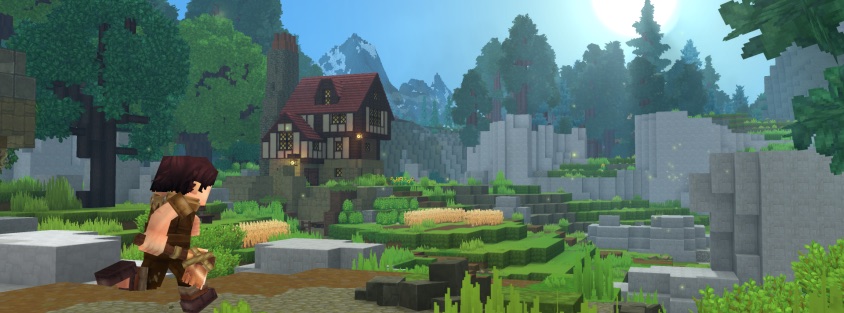
© Hypixel Studios
Features
Minimum recommended RAM: 2 GB
How much RAM do you need?
Honest sizing from running thousands of Hytale servers — start small, add RAM anytime with a couple of clicks.
| Players | Recommended RAM | Notes |
|---|---|---|
| 2–8 | 4 GB | Friend-group world on current builds |
| 8–20 | 6 GB | Small community server |
| 20+ | 8 GB | Larger communities — early-days estimate |
How to make a Hytale server
Hytale's Early Access servers use official files distributed through your Hytale account — FadeHost handles the download, updates and hosting; you bring the account link.
- 1
Create your server
Start the free 7-day trial (no credit card) or pick a plan — 2 GB starts a small Early Access world comfortably. Then hit Create Server in the panel, choose Hytale and your region, and the server installs itself. Your server's address and port appear on the server page as soon as it's up.
- 2
Link your Hytale account
In the panel open Profile → Integrations and link your Hytale account, then authorize game downloads. Hytale distributes its dedicated server through an authenticated API, so this one-time link is what lets your server install and update the official files.
- 3
Configure and start
Name your server and adjust settings from the Settings tab, then start it — the official Early Access server files download automatically and stay updated as Hytale patches roll out.
- 4
Join the server
From the Hytale main menu choose Servers → Direct Connect and enter the address and port from your server page. Friends join the same way — and in-game server discovery keeps expanding through Early Access.
Why FadeHost?
Every game server includes these features at no extra cost.
DDoS Protection
Enterprise-grade protection keeps your server online during attacks.
Instant Setup
Your server is ready in seconds after payment. No waiting.
Automatic Backups
Scheduled backups with one-click restore and file browsing.
Flexible RAM
Split RAM across multiple servers. Add more anytime, no downtime.
24/7 Support
Real humans, fast response times. We're here when you need us.
Full Control
Console access, file manager, scheduled tasks, and team sharing.
Frequently Asked Questions
Can I really host a Hytale server already?
Yes — FadeHost is one of the first hosts with Hytale server support. Link your Hytale account once in the panel (a 30-second device code, like signing into a TV app), create the server, and you're in.
Why do I need to link my Hytale account?
Hytale servers authenticate against Hypixel Studios' services under your account, so the panel needs a one-time authorisation to create and run servers on your behalf. You can unlink at any time from the integrations page.
How much RAM does a Hytale server need?
Early builds are comfortable at 4 GB for a friend group and 6-8 GB for larger communities. It's early days — we retune our recommendations with every Hytale patch, and you can resize your allocation at any time.
How do updates work while Hytale changes so fast?
The panel fetches the latest server build on restart, so keeping up with Hypixel Studios' rapid patch cadence is a one-click restart. Your worlds and configuration carry across updates.
Can I move my single-player world onto the server?
World files can be uploaded through the file manager, and your world persists across restarts and updates on the server. As Hytale's tooling matures we'll keep the migration path documented in our docs.
Ready to host your Hytale server?
Get started in seconds with instant setup and DDoS protection included.
Get Started